

0:00 / 0:00
Important Update: Effective July 1, 2026, Zebra is implementing mandatory Multi-Factor Authentication (MFA) to enhance security. Learn more.
Desktop Printers
ZD621 Series Printer Support
MODELS: ZD621D/ ZD621T/ ZD621R
ZD621D, ZD621T, ZD621R - RFID and Healthcare Versions
The ZD620 printer is part of the ZD600 Series Printer family.
Retain proof of purchase for warranty confirmation.
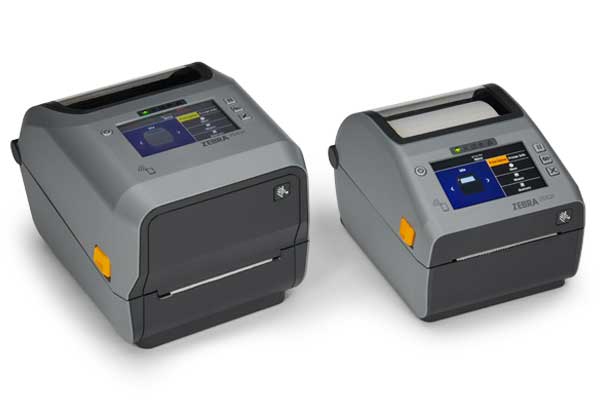
ZD621T, ZD621D
ATTENTION - Zebra Printer Customers in Europe, the Middle East, and Africa.
Recent changes have been made to the printer setup process - Learn More.
- Getting Started
- Downloads
- Documentation
- Videos
- Troubleshooting
- Application Software
- Additional Resources
The Setup guidelines below will take you to English documentation. You can access the localized User Guides in the DOCUMENTATION tab.
IMPORTANT! Do not connect your printer to a computer yet!
- If you connected your printer to a computer via USB before driver installation, the printer might appear as an unknown (unspecified) device in “Devices and Printers”.
- If necessary, follow these recovery steps before installing Zebra Pritner Driver.
Peel off the sticker covering the USB port.

Documentation
Some documents may not have been translated to your language.
Oops!! Something went wrong. Please try again..

Sorry cant find any results
ZD621D How-to Videos
ZD621T How-to Videos
0:00 / 0:00
ZD621R How-to Videos
0:00 / 0:00
Application Software
Zebra software products that can enhance your experience with this device.
Oops!! Something went wrong. Please try again..
Sorry cant find any results
Additional Resources
Useful links and resources to enhance your experience.
Support Content
For Zebra support, use AI Search, Virtual Assistant, or Knowledge Base for quick answers, or log in to the Support Center to manage cases and repairs.
Warranty and Repair
For some services, you will need a serial number. Here's where you can find it on your device.
Find the Serial Number of Your Zebra Product